
If you’ve ever opened your email platform, stared at a blank template, and closed the tab because designing an email felt like one more job on top of running your actual business — this post is for you!
Flodesk just launched something new, and as a Flodesk Partner I got to play with it early. It’s called Flodesk Studio, and instead of just telling you it exists, I want to show you exactly how to use Flodesk Studio the way I did: with a real idea, a real prompt, and a real email at the end of it.
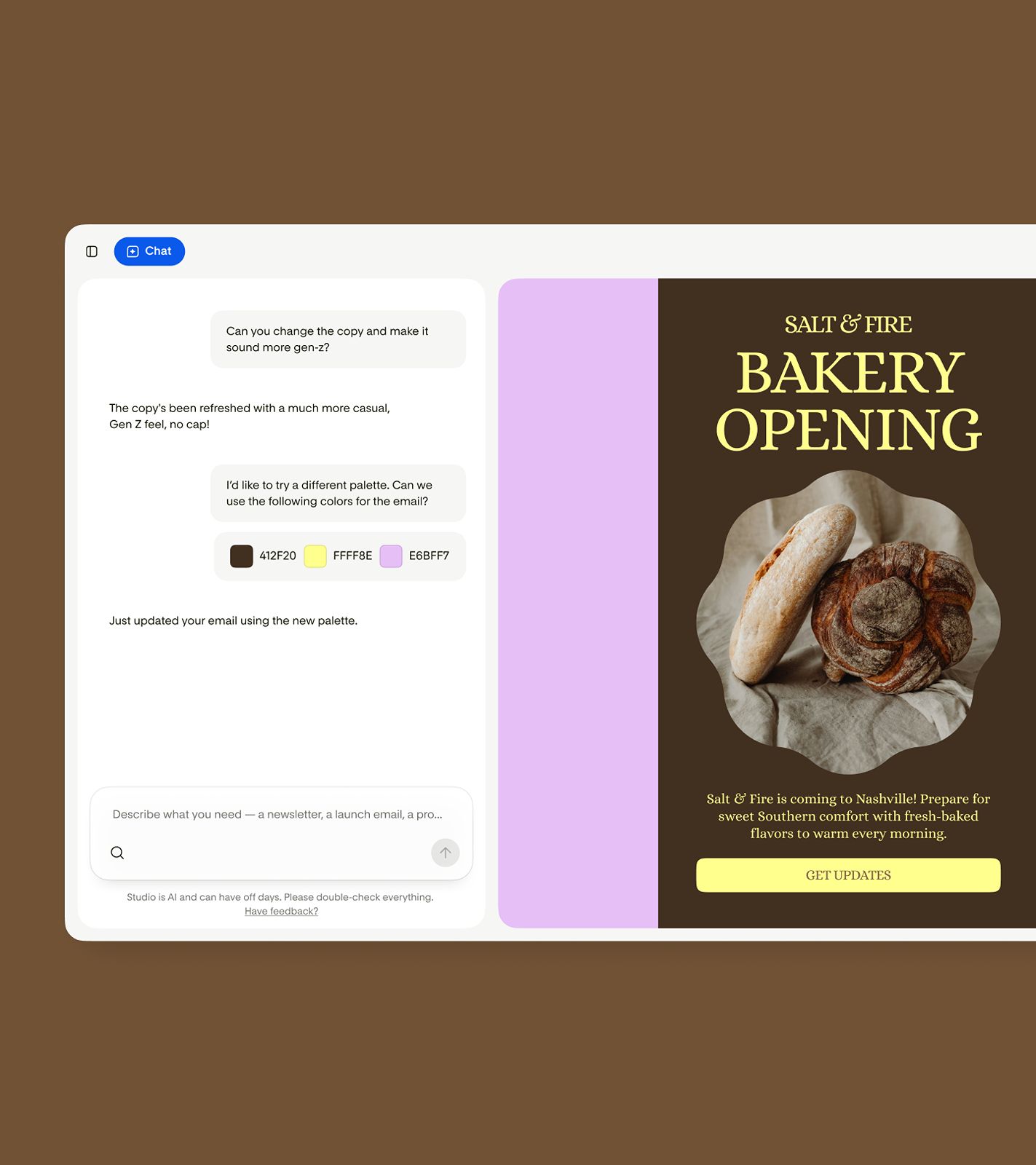
Quick context before we dive in: Studio is a brand-new email design app from Flodesk. You describe what you want, Studio brings it to life on-brand, and then you refine it — in chat or pixel by pixel. It’s built on layouts and components hand-crafted by real designers, then accelerated by AI. And right now, it’s completely free while in beta. No credit card, no catch.
Here’s the part I love as a designer: Studio isn’t a helper bot bolted onto your inbox. It’s a place you go to create. You’re still the one making the calls — Studio just clears the blank-page problem out of your way.
What Is Flodesk Studio, Exactly?
Flodesk Studio is a standalone email design app where you can start from a template, a prompt, or your own idea. A few things worth knowing up front:
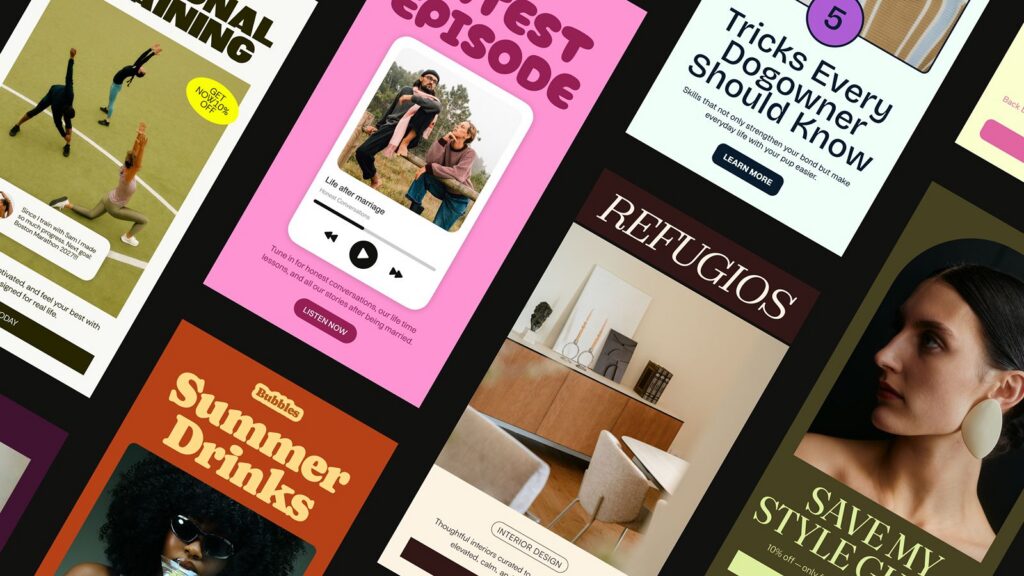
It starts with human design. The Flodesk design team hand-crafted thousands of individual pieces — layouts, blocks, typography, palettes. The AI’s job is to assemble those human-designed pieces around your prompt and your brand. Accelerated, not generated. That’s why a Studio email looks like a real designer touched it. One did.
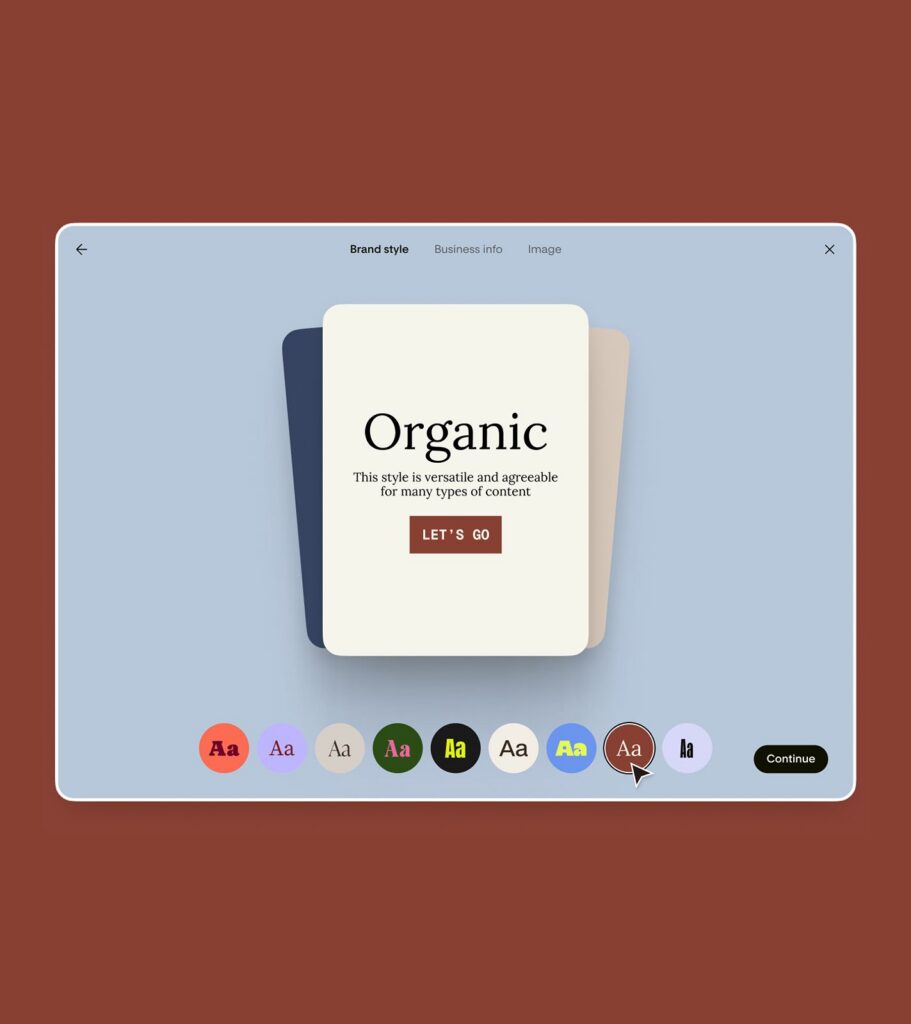
It builds around your brand. Studio stores your colors, fonts, logo, and style, so every email it creates looks like you — not like a template you grabbed at midnight.
You can edit the way your brain works. Refine in chat (“make this feel warmer,” “swap the palette to these three hex codes”) or click in and adjust things manually — move stickers, rotate elements, change block styles, fine-tune type. Both paths are always open.
Design here, send anywhere. This is huge. You can use your email inside Flodesk in one click, or export the HTML to any provider that supports it — Kit, Mailchimp, beehiiv, wherever your list lives. (New to Flodesk? Get 25% off your first year to try it for yourself.)
How to Use Flodesk Studio: My Actual Process
Reading about a tool is one thing. Watching an idea come to life in it is another. So here’s what I did.
I’ve been prepping the launch of a new Showit website template in the NAVE HAUS template shop, which means I need a launch email for my list. Normally that means blocking off an afternoon: pull brand colors, build the layout, resize images, second-guess the header, repeat.
Here’s how it went in Studio instead…
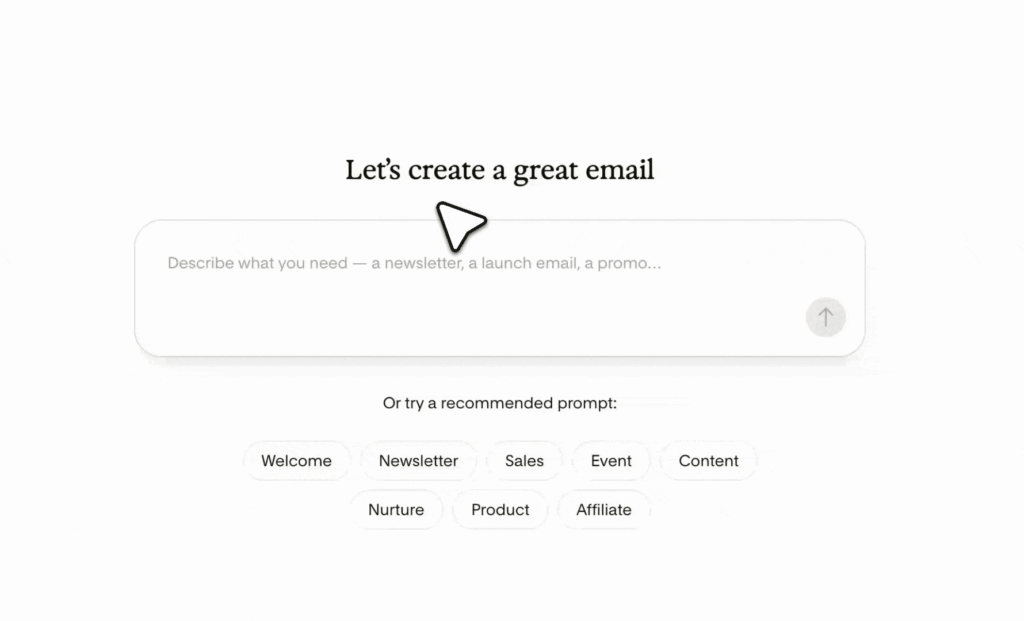
Step 1: Start with a prompt, not a blank canvas
I opened Studio and typed a prompt — plain language, no design jargon required:
“Create a launch announcement email for a new website template for interior designers. Warm, editorial feel. Big serif headline, one hero image, a short intro paragraph, three quick feature highlights, and a button that says ‘See the Template.'”
That’s it. No character limit on prompts, so you can be as detailed (or as loose) as you want.
Step 2: Let Studio get you ~80% of the way
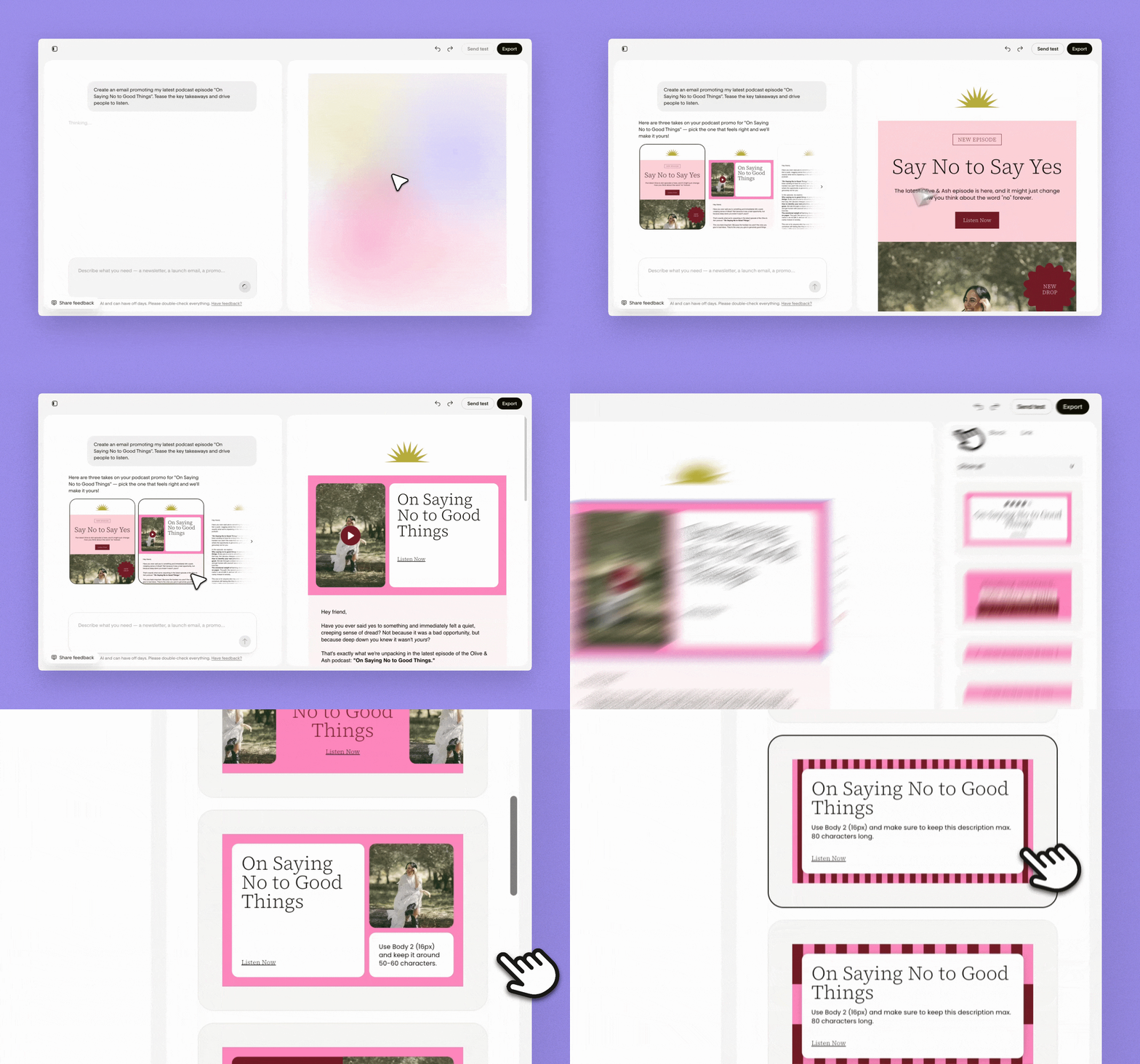
Within moments, Studio generated options in a few different email styles — a visual-heavy version, a banner style, and a plain-text version. All three were already wearing my brand: my colors, my type pairings, my vibe.
That first pass genuinely got me about 80% of the way to done. Which, if you know how email design usually goes, is the part that normally eats the whole afternoon.
Step 3: Refine in chat
The first draft leaned a little more playful than this particular template deserved, so I stayed in the chat and asked Studio to shift it: more editorial, more whitespace, tighten the intro copy. It updated the design right in front of me. I also tested a palette swap by dropping in three hex codes — updated in seconds.
This is my favorite part of the workflow, honestly. Iterating in conversation keeps momentum going. There’s no “let me go find that setting” spiral.
Step 4: Fine-tune by hand
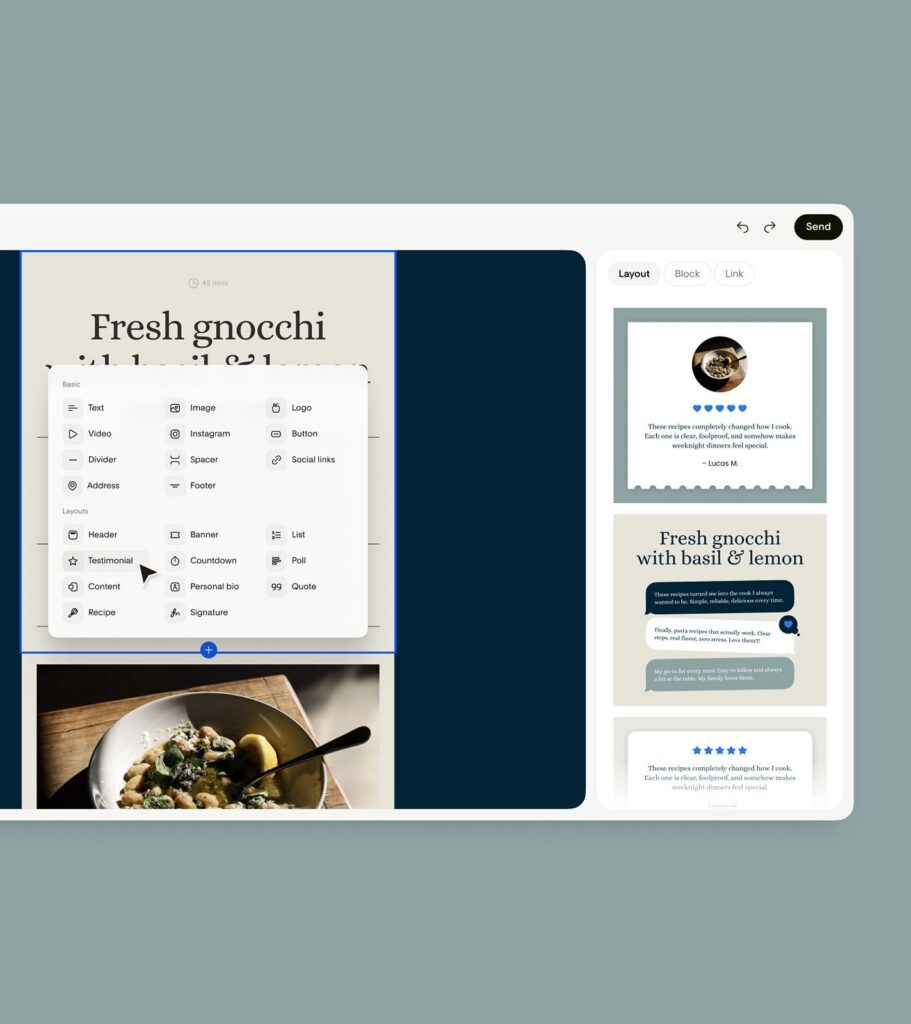
Then I clicked into the canvas for the detail work — the part where design instincts earn their keep. I nudged the headline size, panned the hero image inside its frame until the crop felt right, and added one of the new sticker shapes with a little “NEW” callout, rotated just slightly off-axis so it feels placed, not pasted.
The new block library is worth exploring here too: headers, banners, lists, testimonials, countdowns, polls, quotes, even a signature block — each one already styled in your brand from the start. A countdown block on a launch email? Yes, please!
Step 5: Send it (from anywhere)
When it looked right, I had two options: deliver it straight to Flodesk in one click, or export the HTML to use on another platform. Since I’m a Flodesk girlie through and through, one click and it was in my account, ready to schedule.
Total time from prompt to finished email: minutes, not an afternoon.
Who This Is Actually For
If you’re a business owner who’s ever felt like your emails don’t look as polished as your website — or a creative who loves design but can’t justify hours per send — Studio closes that gap. Everything in it is built to make your emails look like the multimillion-dollar brands do, without a design team on retainer.
And because it exports HTML anywhere, you don’t have to switch platforms to try it. Design here, send from wherever you already are.
One honest note: Studio is email-first for now. Forms, pages, and other marketing materials are on the way, and Flodesk is shipping features daily — they’re building this in public, with feedback from the people actually using it.
My Take as a Showit Designer
I’ll be real with you: a lot of AI design tools produce… slop. Generic layouts, uncanny spacing, a vibe of “no human was harmed (or involved) in the making of this email.”
Studio doesn’t feel like that, and the reason is the foundation. Real designers built the system. The AI is assembling thoughtful, hand-crafted pieces around your brand — which is exactly how I’d want a tool like this to work. Your brand stays the hero. The tool just gets you there faster.
Clarity over complexity. You know that’s my whole thing.
Try Flodesk Studio (Free in Beta)
The best way to learn how to use Flodesk Studio is to open it up and throw an idea at it — a real email, something you’ve been putting off, or an old email you built elsewhere and want to remake. Watch what comes back.
Start creating today at studio.flodesk.com. It’s free while in beta, and the only ask is your honest feedback.
Already love what you see and ready for the full Flodesk experience? Get 25% off your first year of Flodesk — my affiliate link, and one of the tools I use and recommend most.
Then come tell me what you made — I genuinely want to see it.
NAVE HAUS is a Flodesk Partner. We only share tools we actually use in our own studio and with our clients. Heads up: some of the links in this post may be affiliate links, meaning we could earn a small commission if you click through and make a purchase — at no extra cost to you. We only ever share tools and resources we actually use and love in our own studio.